 Cozy
CozyTwilight Road
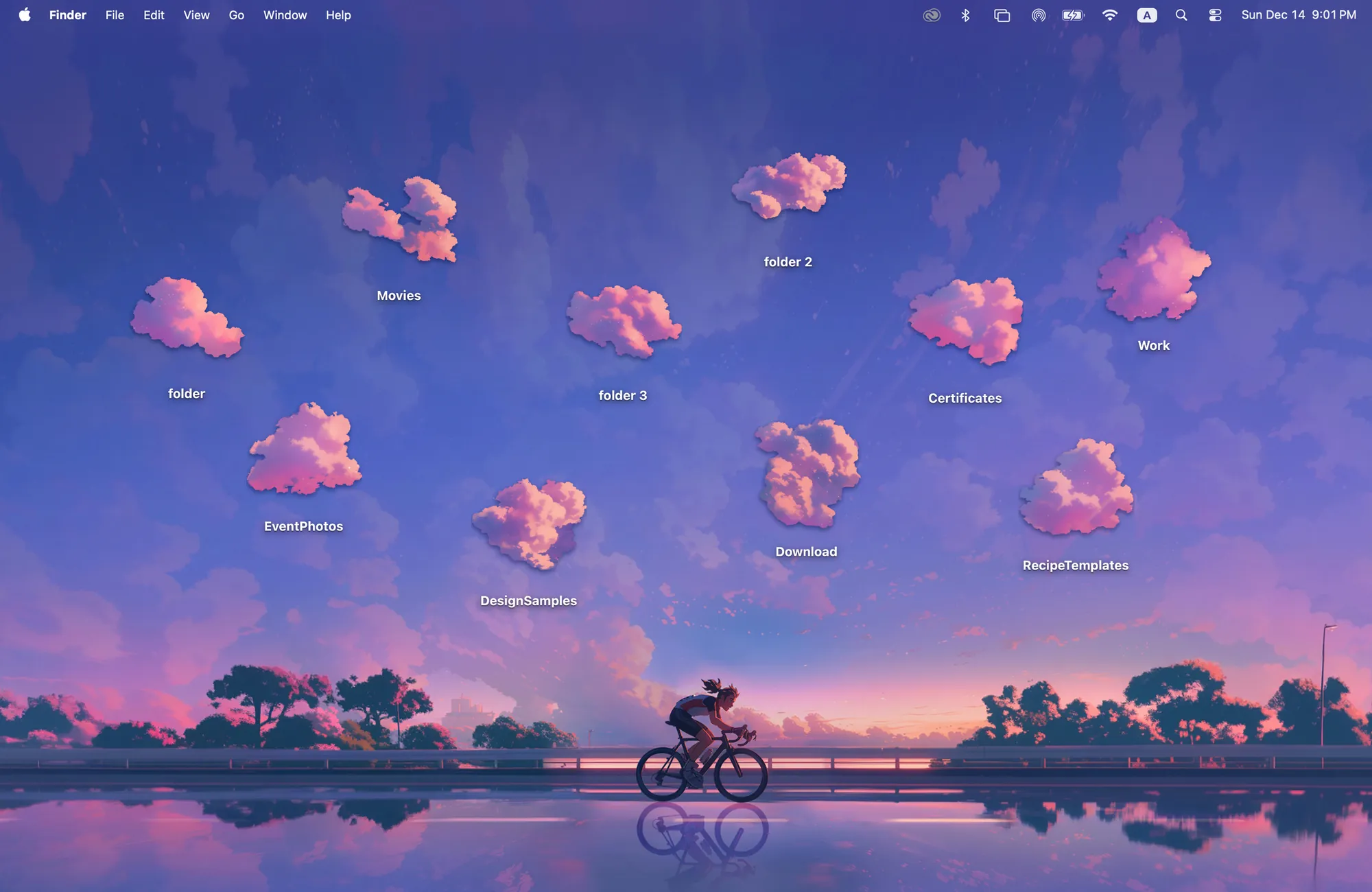
Soft skies and a long road home. Wet pavement glows under the last light of a perfect day.
Get Twilight Road in Cozy for Mac
Stack 10 cloud layers to build your own golden-hour sky.
What's included
- 10 folder icons: Twilight Clouds 10
- One wallpaper, drawn together with the icons
One space, designed together
Twilight Road is the last light of a perfect day: a violet sky, a lakeside road and a cyclist heading home, reflected in wet pavement. The ten folder icons are pink twilight clouds, lit from the same low sun as the wallpaper. Stack them into a dramatic sky or keep a few scattered. Because the clouds share the sunset's light, the whole sky still feels like one evening.
Best for
- Sunset and lofi aesthetic fans
- Evening work sessions
- A purple and pink desktop that is still calm
How to get this look on your MacBook
- Download Cozy from the Mac App Store. It is free to try.
- Open Cozy from the menu bar and pick Twilight Road.
- Click Apply. Your desktop wallpaper and folder icons change together, and your MacBook home screen looks like the picture above.
FAQ
What are the icons in Twilight Road?
Ten pink twilight cloud folder icons.
Does it work in dark mode?
Yes. The deep violet sky looks good with both light and dark menu bars.
Does Twilight Road work on MacBook Air, MacBook Pro and MacBook Neo?
Yes. Cozy runs on any Mac with macOS 14 or later and fits each theme to MacBook and iMac screens.
Is Twilight Road free?
Cozy is free to download with one free theme, Rainbow Felt. Twilight Road is included in the one-time unlock, along with every other theme and future ones.
Can I go back to my old folder icons?
Yes. Folder icons are a standard macOS setting, and you can restore the default icons at any time.
Get the whole look on your Mac
Cozy is free to try with Rainbow Felt. One purchase unlocks every theme, including new ones.
Download Cozy on the Mac App Store