 Cozy
CozyPenguin Island
A frozen paradise where adorable penguins swim, camp and chill on your desktop.
Get Penguin Island in Cozy for Mac
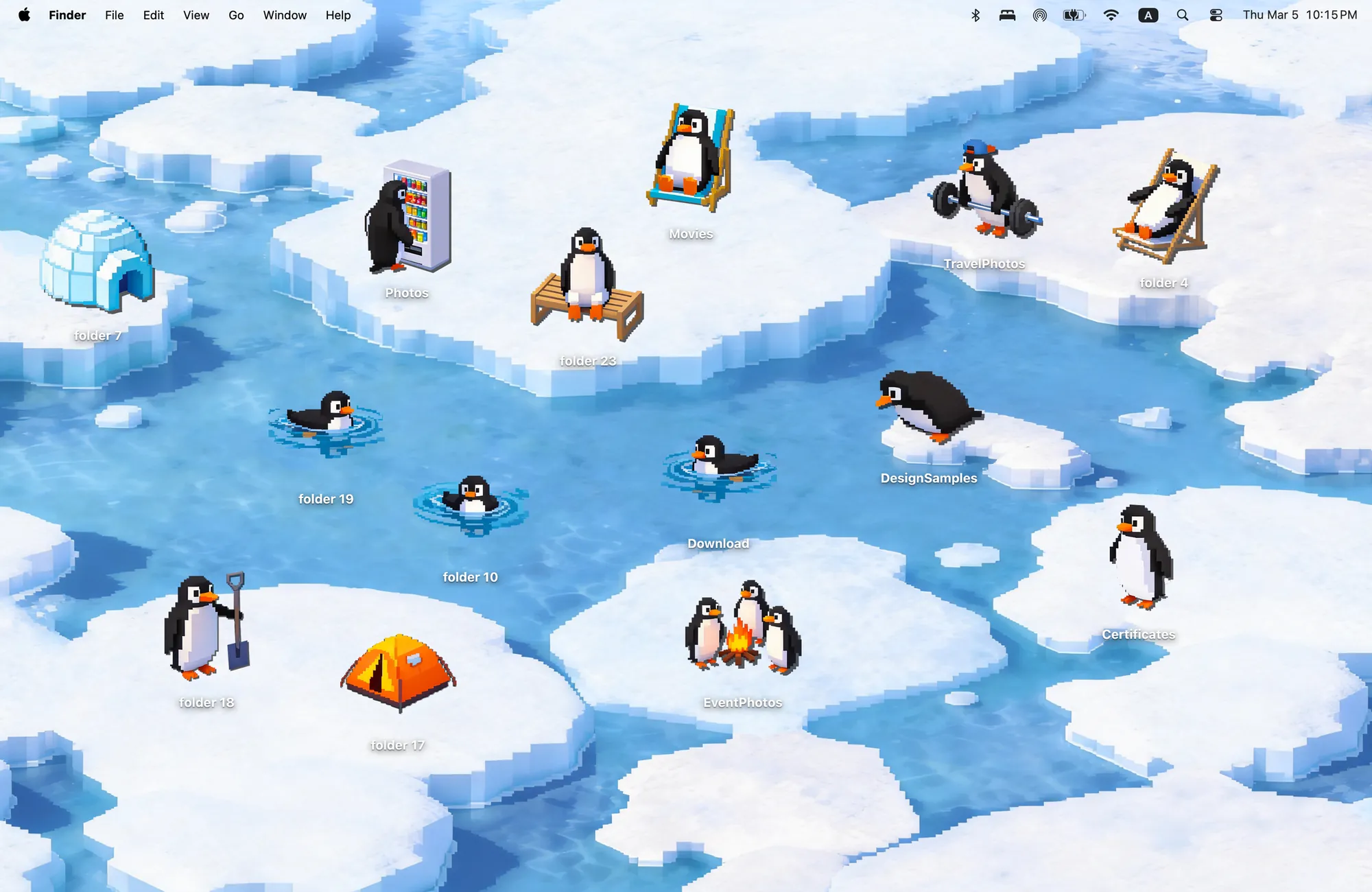
One penguin lifts weights, one buys drinks, three sit by the fire and won't move. 14 penguins, your desktop will never be boring again.
What's included
- 14 folder icons: Penguins 12, Camping 2
- One wallpaper, drawn together with the icons
One space, designed together
Penguin Island is a winter sea of pixel ice floes. The fourteen folder icons are penguins with lives of their own: one lifts weights, one buys drinks from a vending machine, three sit by a campfire and refuse to move. An igloo and a tent complete the camp. Drop a penguin on the ice or in the water and it fits, because the floes were drawn for them.
Best for
- Winter and holiday season
- Anyone who wants a desktop with a sense of humor
- Pixel art fans
How to get this look on your MacBook
- Download Cozy from the Mac App Store. It is free to try.
- Open Cozy from the menu bar and pick Penguin Island.
- Click Apply. Your desktop wallpaper and folder icons change together, and your MacBook home screen looks like the picture above.
FAQ
How many penguins are there?
Twelve penguin folder icons plus two camping icons, an igloo and a tent.
Is Penguin Island a winter theme?
Yes. It is an icy sea with snow and ice floes, a good fit for December.
Does Penguin Island work on MacBook Air, MacBook Pro and MacBook Neo?
Yes. Cozy runs on any Mac with macOS 14 or later and fits each theme to MacBook and iMac screens.
Is Penguin Island free?
Cozy is free to download with one free theme, Rainbow Felt. Penguin Island is included in the one-time unlock, along with every other theme and future ones.
Can I go back to my old folder icons?
Yes. Folder icons are a standard macOS setting, and you can restore the default icons at any time.
Get the whole look on your Mac
Cozy is free to try with Rainbow Felt. One purchase unlocks every theme, including new ones.
Download Cozy on the Mac App Store