 Cozy
CozyAesthetic Mac Desktop Widgets: Ideas and How to Add Them
How to add widgets to your Mac desktop, and how to make them look like part of the scene.
To add aesthetic widgets to your Mac desktop, Control-click the wallpaper, choose Edit Widgets and drag widgets onto the desktop. For an aesthetic look, use few widgets, keep them in one area, and pick widgets whose colors match your wallpaper. Here is how, plus widget ideas that look like part of the scene instead of stickers on top.
How to add widgets to your Mac desktop
- Control-click the wallpaper and choose Edit Widgets.
- Browse or search the widget gallery.
- Drag a widget to where you want it, or click it to place it automatically.
- Click Done.
You can also use iPhone widgets on your Mac: in System Settings > Desktop & Dock, turn on Use iPhone widgets. Your iPhone needs iOS 17 or later and the same Apple Account. Steps from Apple Support.
Mac desktop widget ideas
| Widget | Why it looks good | Where to put it |
|---|---|---|
| Photo | A personal touch in a frame | Somewhere a frame would hang or stand |
| To-do list | Useful every day | Next to the photo, like a note on a desk |
| Clock | Big and simple | Top corner, away from folders |
| Calendar | Month at a glance | Paired with the clock |
Keep it to two to four widgets. More than that and the desktop starts to feel like a dashboard.
Why system widgets rarely look aesthetic
macOS widgets use the system style: frosted glass, system fonts. They look tidy, but they do not match a painted or illustrated wallpaper, so they read as stickers.
The Cozy way: widgets drawn into the scene
Cozy treats your MacBook as a digital space and designs it the way you would design a room. In themes with widgets, the widgets are drawn with the wallpaper and folder icons as one scene. In Y2K Aesthetic, your photo sits in a retro digital camera and your to-dos live on a lined notepad. In Morandi, a gold frame and a paper note sit on the painted shelf. Some Cozy widgets are interactive: you can check off to-dos right on the desktop.
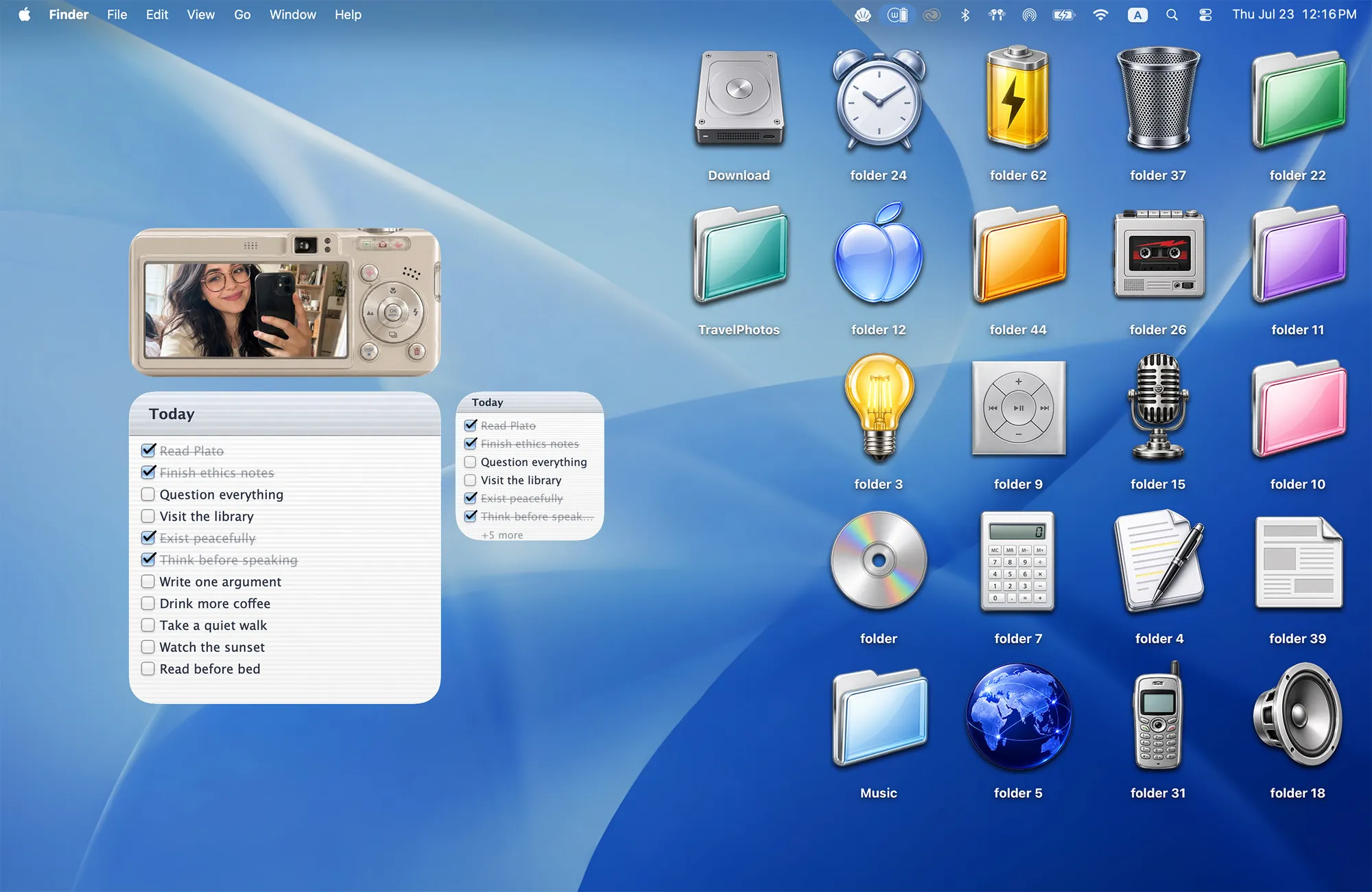
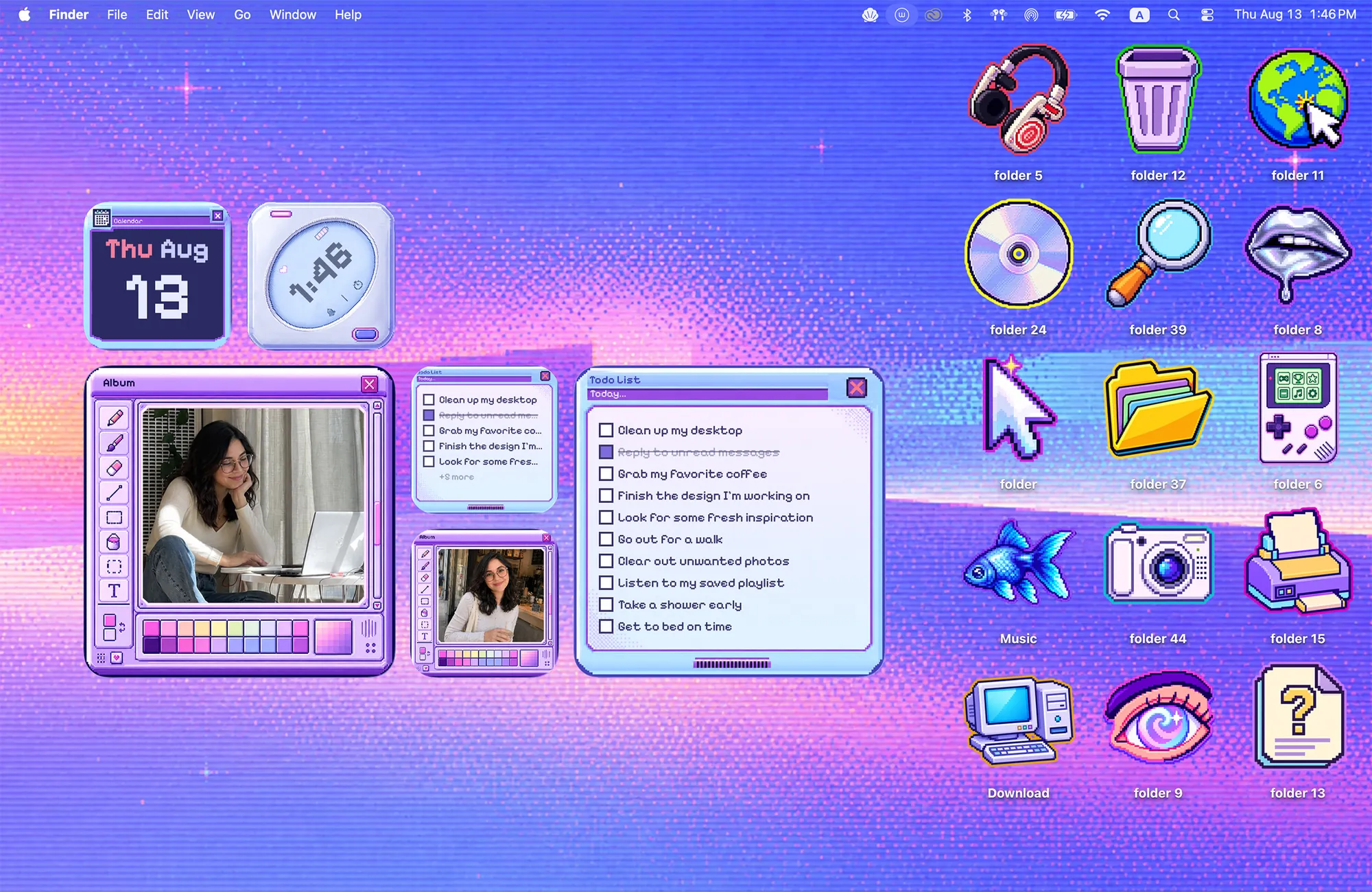
Themes with widgets today: Y2K Aesthetic, Cyber Dream, Morandi, Sunflowers in Shades, Warm Corner, Paper Village, Curaçao and Moving Day.
Download Cozy from the Mac App Store to try them.
FAQ
How do I add widgets to my Mac desktop?
Control-click the wallpaper, choose Edit Widgets, and drag a widget onto the desktop.
Can I use iPhone widgets on a Mac?
Yes. Turn on Use iPhone widgets in System Settings > Desktop & Dock. Your iPhone needs iOS 17 or later.
Get the whole look on your Mac
Cozy is free to try with Rainbow Felt. One purchase unlocks every theme, including new ones.
Download Cozy on the Mac App Store