 Cozy
CozyCozy MacBook Setup Ideas: Make Your Mac Feel Like Home
Six cozy Mac setups where the wallpaper, folder icons and widgets were designed as one warm space.
A cozy MacBook setup comes down to three things: warm colors, soft textures and a desktop where nothing fights for attention. The quickest way to get all three is to treat your desktop like a room and decorate it as one space, instead of adding a wallpaper here and an icon pack there. Below are six cozy Mac setup ideas, each one a complete desktop you can copy.
What makes a Mac desktop feel cozy
- Warm light. Lamps, fireplaces, sunsets and golden hour. Warm tones feel calmer than bright white and cold blue.
- Soft textures. Felt, wool, paper, watercolor. Texture makes a flat screen feel handmade.
- Fewer, friendlier icons. A cozy desktop is not an empty one. It is a desktop where every icon looks like it belongs.
- Everything in the same style. This is the one most setups miss. A cozy wallpaper with default blue folders still looks unfinished.
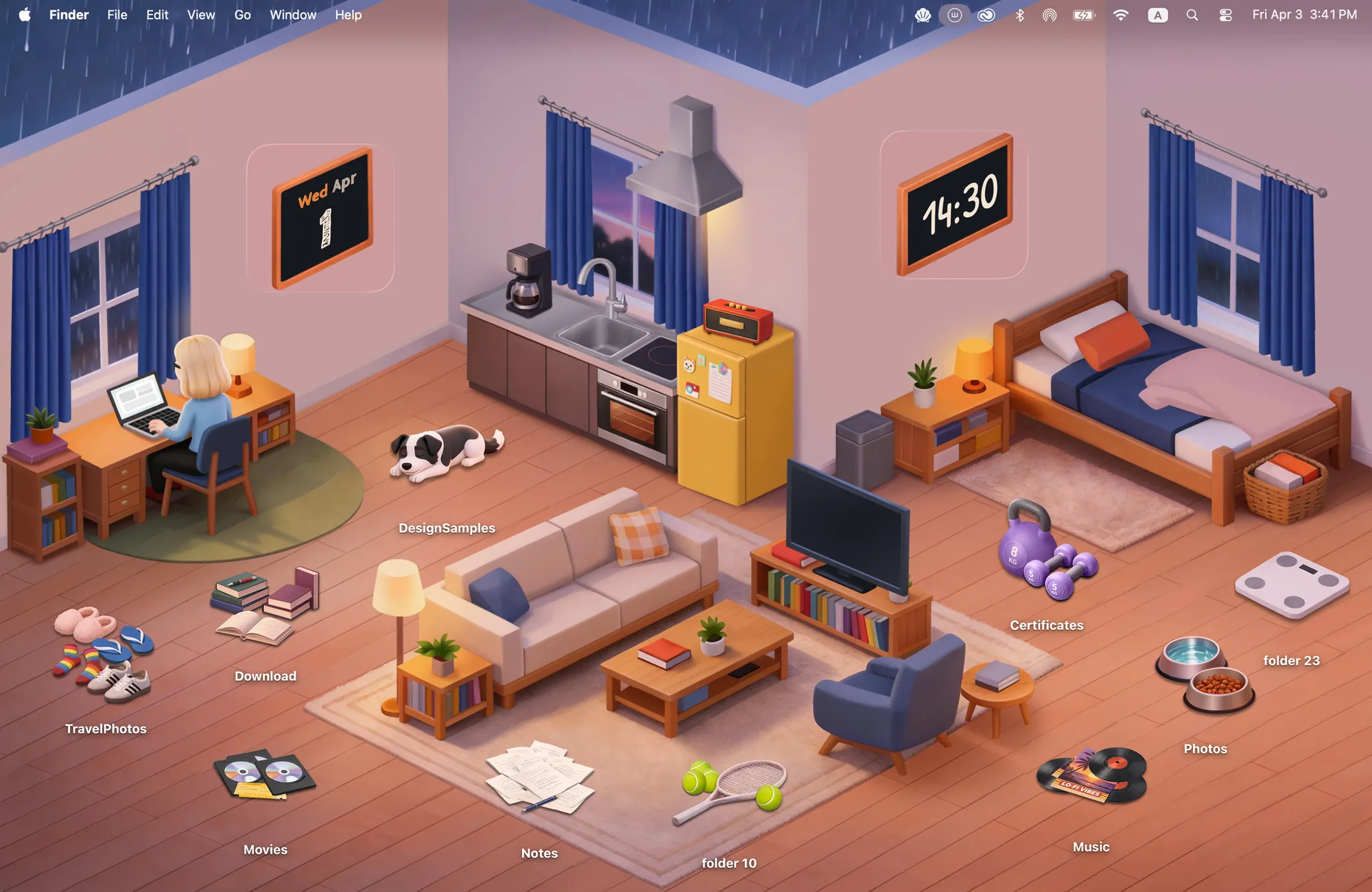
1. A small apartment on a rainy night
Warm Corner is an isometric apartment with rain on the windows. Your folders become records, books, sneakers and a sleeping dog, and the clock and calendar hang on the wall as chalkboards. It was drawn for late nights at the desk.
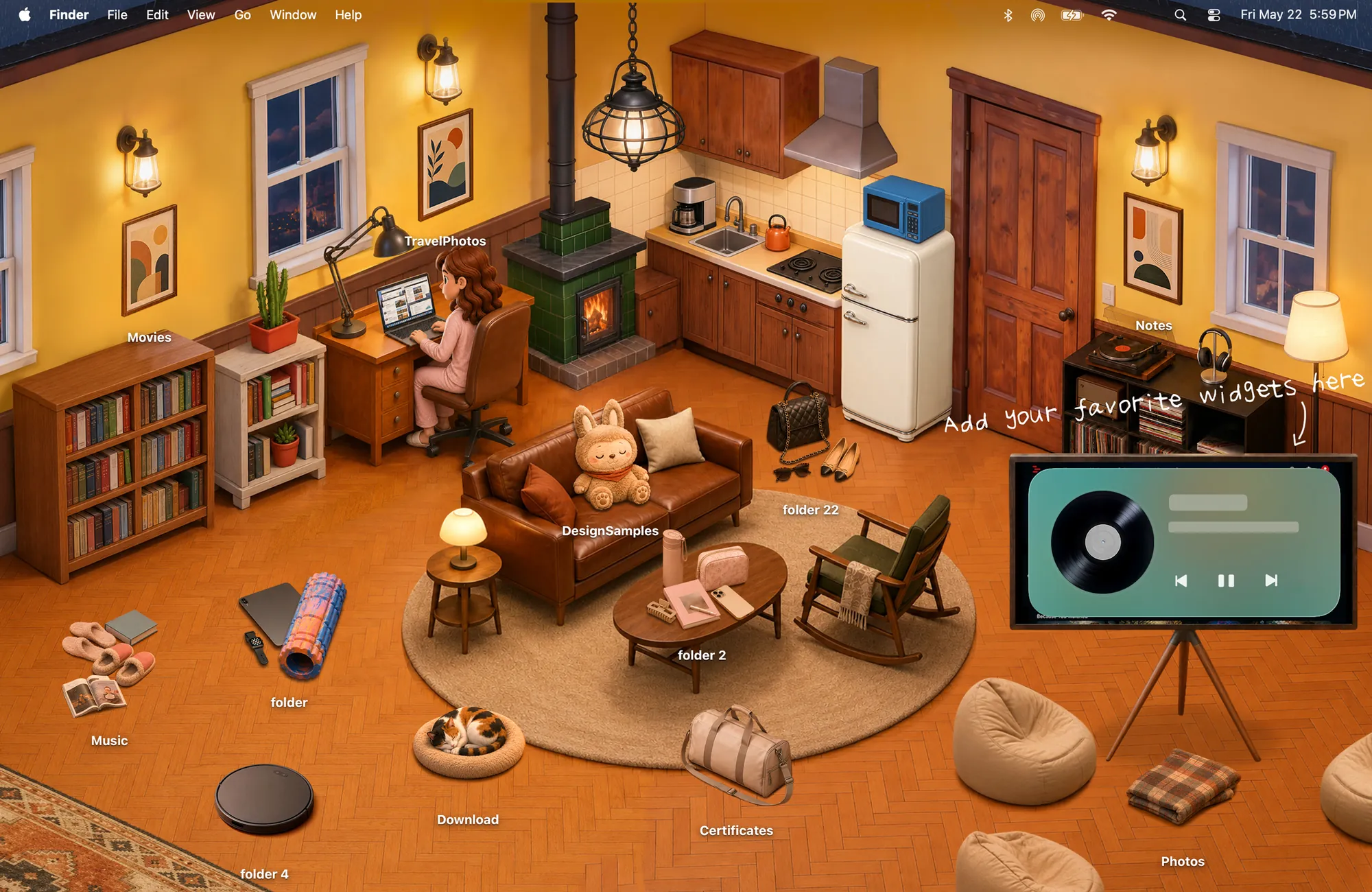
2. A cabin living room by the fire
The Fireside is a warm cabin seen from above: wood stove, bookshelves, leather couch. The icons are art prints, slippers and a plush friend, and there is a spot on the wall for your widgets.
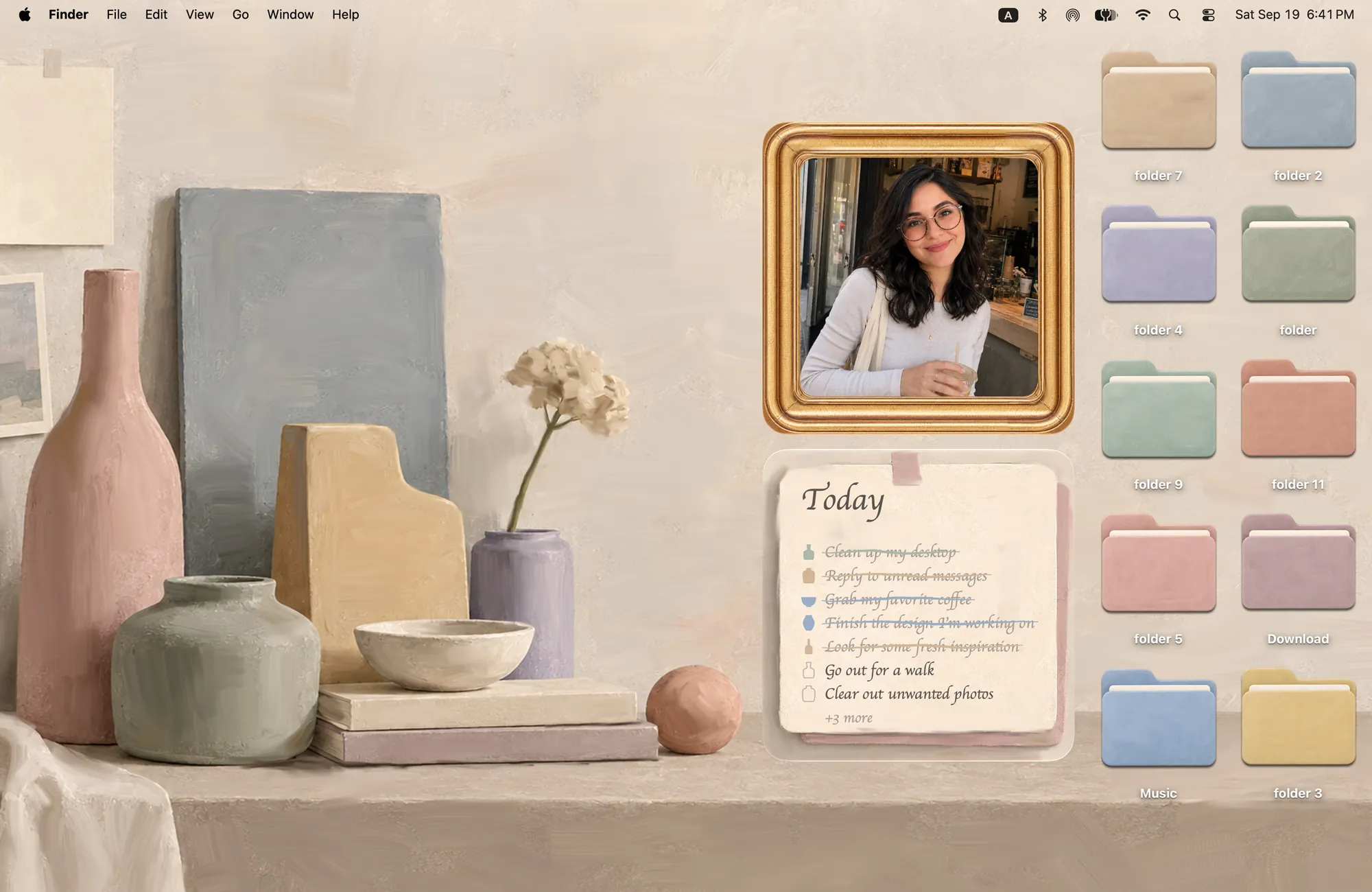
3. A soft, muted still life
If cozy means calm and minimal, Morandi uses dusty pinks, sage and cream. The folders share the same muted tones, and a gold photo frame and a paper to-do note sit on the shelf.
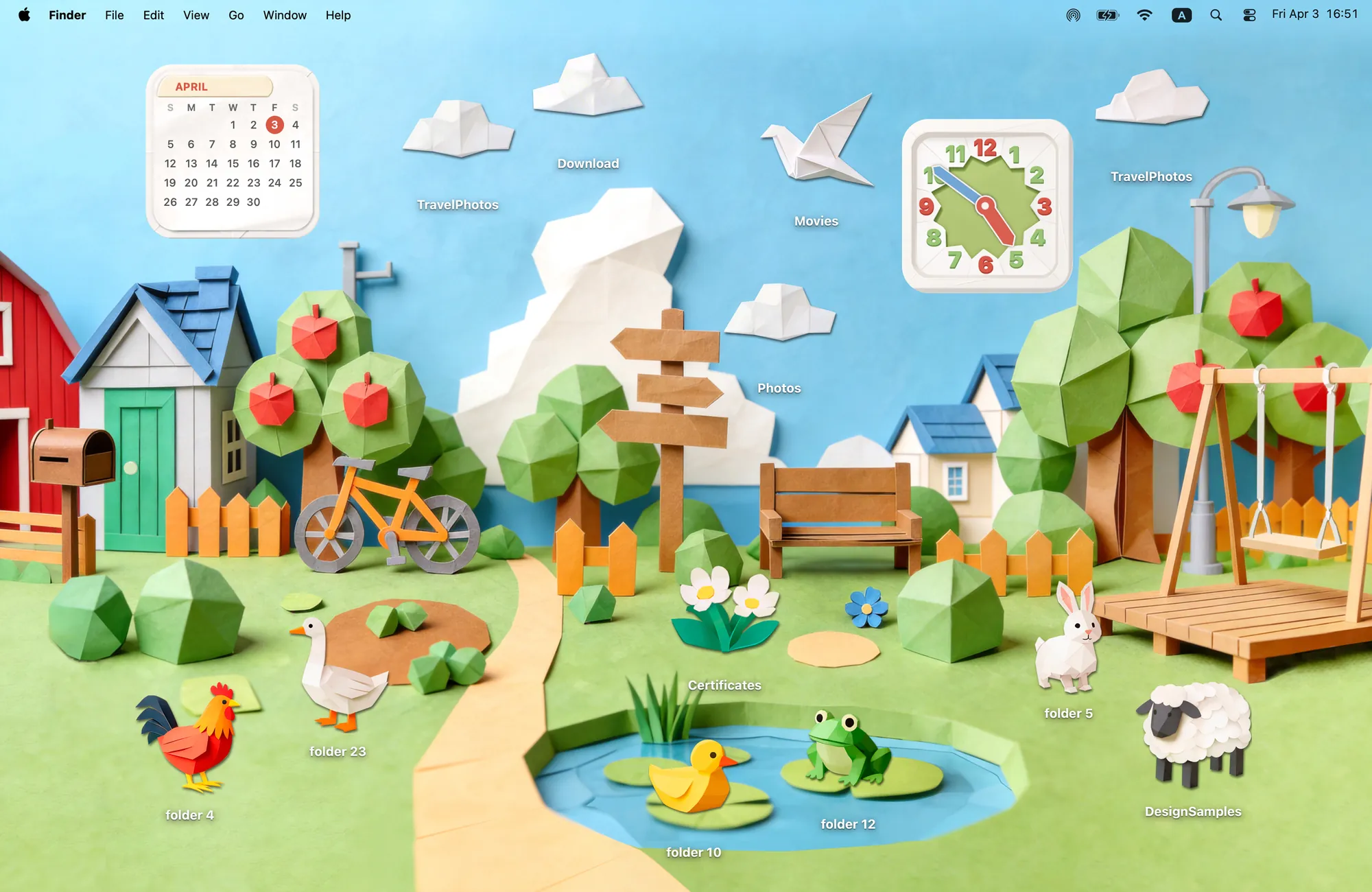
4. A paper village
Paper Village is a papercraft town with a paper clock and calendar. Every animal has its place: the duck by the pond, the sheep on the hill.
5. A felt campsite full of cats
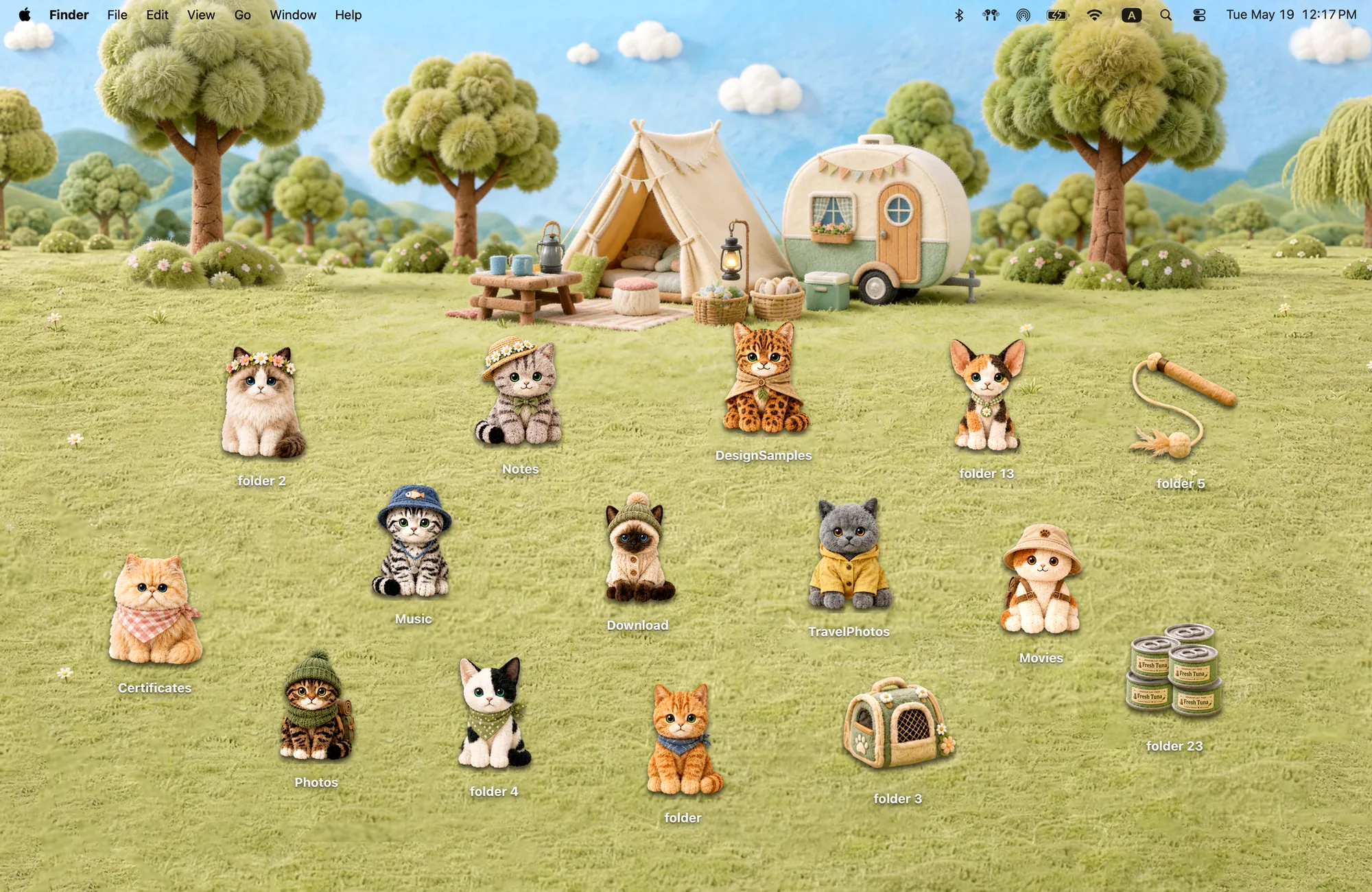
Camp Kitties is a sunny felt meadow with a tent, a camper and twelve cats dressed for the outdoors. Soft texture, warm light, zero clutter.
6. The free one: rainbow felt
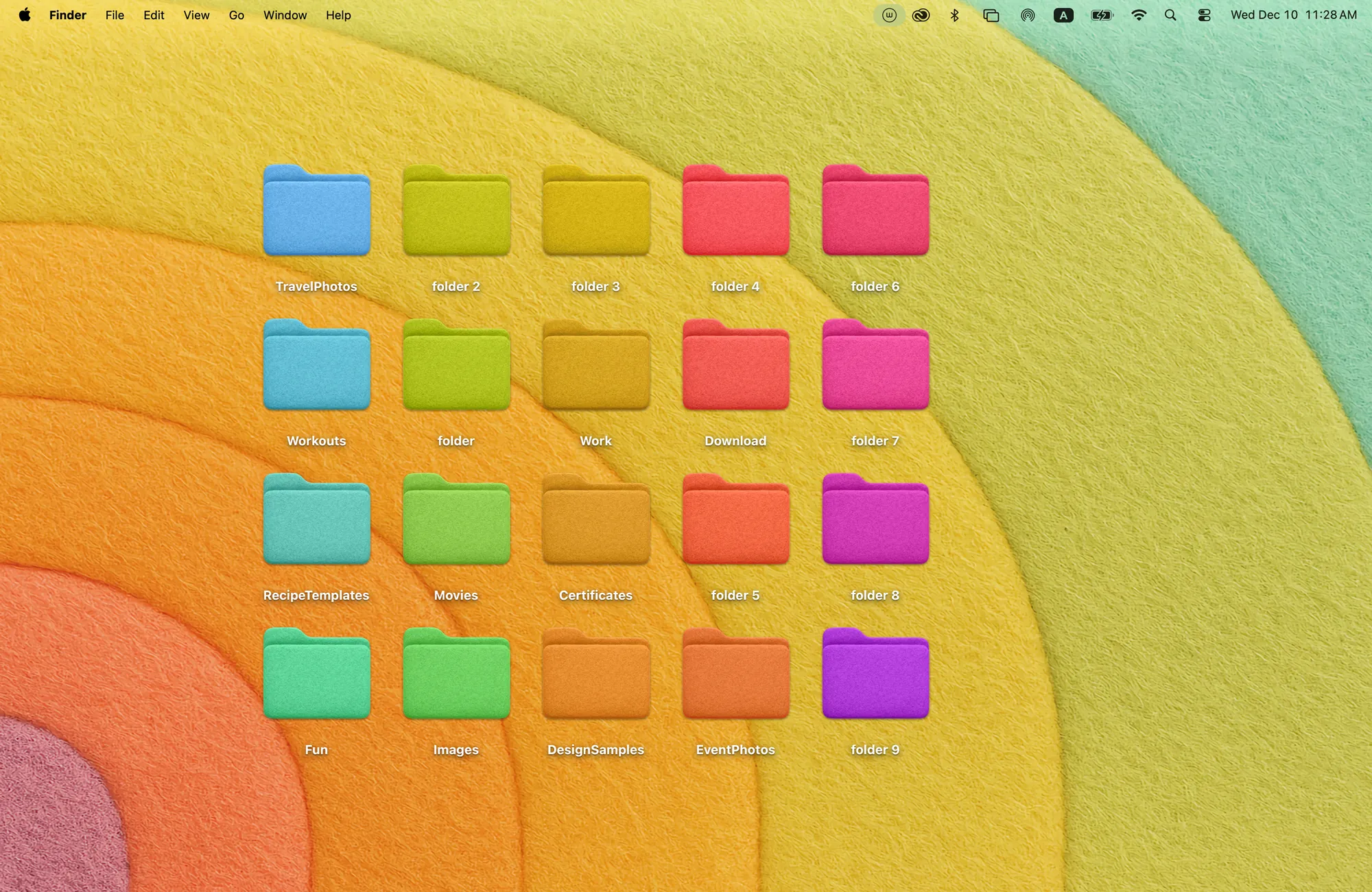
Rainbow Felt is free. Felt rainbow arcs and twenty felt folders in every color. Sort folders by color and you get a cozy desktop that is also organized.
The Cozy way: design the whole desktop as one space
Most tools change one layer of your desktop. A wallpaper app changes the background, an icon pack changes the folders, a widget app adds a clock, and you are left to make them match. Cozy treats your MacBook as a digital space and designs it the way you would design a room. In every theme, the wallpaper and folder icons, plus widgets where the theme has them, are drawn together as one scene, so nothing looks pasted on.
How to set up a cozy MacBook in one click
- Download Cozy from the Mac App Store. It is free to try with Rainbow Felt.
- Open Cozy from the menu bar and choose a theme.
- Click Apply. The wallpaper and folder icons change together. Drag icons around until the room feels like yours.
FAQ
What makes a MacBook setup cozy?
Warm colors, soft textures and a desktop where every icon matches the wallpaper, so nothing fights for attention.
Can I get a cozy Mac setup for free?
Yes. Cozy includes Rainbow Felt for free, a felt rainbow wallpaper with 20 matching felt folders.
Get the whole look on your Mac
Cozy is free to try with Rainbow Felt. One purchase unlocks every theme, including new ones.
Download Cozy on the Mac App Store